Get a Free Estimate Today!
How to Have a Successful Server Lift & Shift?
Relocating servers is one of the most sensitive and high-risk tasks during any office move or IT infrastructure upgrade. A single mistake can lead to data loss, system downtime, security breaches, or permanent hardware damage. That’s why a well-planned server lift and shift is not optional—it’s essential.
This guide will walk you through everything you need to know to successfully execute a server lift and shift, from planning and risk management to physical relocation and post-move testing.
What Is a Server Lift & Shift?
A server lift and shift refers to the process of physically relocating servers and related IT infrastructure from one location to another without changing their internal configurations or software setup.
In simple words, you “lift” the existing systems and “shift” them to a new data center, office, or colocation facility.
This method is commonly used when businesses:
- Relocate offices
- Upgrade facilities
- Move to better infrastructure
- Merge departments
- Expand operations
Why Server Relocation Needs Special Planning
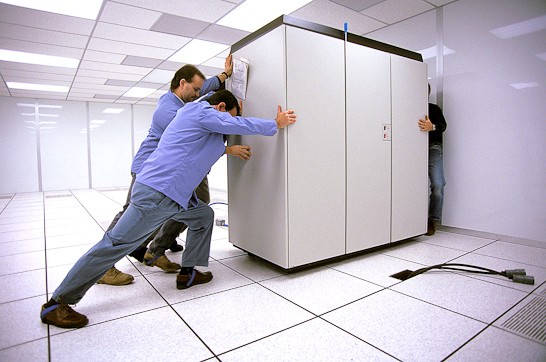
Unlike desks and chairs, servers are delicate, complex, and critical to business continuity.
Key Risks Involved
- Data corruption
- Hardware damage
- Network failure
- Security vulnerabilities
- Prolonged downtime
- Compatibility issues at the new site
A successful lift and shift minimizes all these risks through structured planning and professional execution.
Step 1: Conduct a Full IT Audit
Before anything is unplugged, you need to understand what you’re moving.
What to Document
- Server models and serial numbers
- Rack layouts
- Cable mapping
- Power requirements
- Cooling needs
- Dependencies between systems
- Storage units
- Backup devices
This documentation becomes your roadmap during reinstallation.
Step 2: Create a Detailed Migration Plan
A server lift and shift should never be rushed.
Your Plan Should Include
- Timeline
- Risk assessment
- Backup strategy
- Downtime window
- Roles and responsibilities
- Emergency recovery plan
If your business already coordinates complex relocations—similar to how professional teams handle projects like Residential Moving in Fairfield CT—you’ll understand the value of step-by-step execution.
Step 3: Backup Everything (Yes, Everything)
Never assume your systems are safe.
Best Practices
- Full system backups
- Offsite cloud backups
- Encrypted storage
- Snapshot backups
Test your backups before the move. A backup that doesn’t restore properly is useless.
Step 4: Label, Document, and Photograph
This step saves hours of confusion.
What to Label
- Every cable
- Every port
- Every server
- Every rack
Photograph setups from multiple angles. These visual references make reinstallation far easier.
Step 5: Power Down and Decommission Properly
Servers must be shut down in a specific order.
Why Order Matters
Some systems depend on others. Shutting them down incorrectly can corrupt data or damage components.
Always:
- Follow manufacturer protocols
- Disconnect power safely
- Remove peripherals carefully
- Use anti-static protection
Step 6: Use Specialized Packing and Transport
Standard moving boxes are not enough.
What Should Be Used
- Shock-resistant crates
- Anti-static wrapping
- Temperature-controlled transport
- Custom rack enclosures
This is similar to how experienced teams handle specialized logistics for projects like a Local Moving Service in Norwalk CT, where precision and protection matter.
Step 7: Secure the New Location Before Arrival
Your new site should be ready before servers arrive.
Check These Essentials
- Rack space
- Cooling systems
- Power capacity
- UPS systems
- Fire suppression
- Physical security
- Network connectivity
Don’t bring servers into an unprepared environment.
Step 8: Reinstall According to Your Documentation
Now your earlier work pays off.
Follow This Order
- Rack installation
- Power connections
- Network cabling
- Peripheral attachments
- Gradual power-up
Use your photos and labels to recreate the exact configuration.
Step 9: Test Everything Before Going Live
Never assume everything works.
Perform These Tests
- Hardware diagnostics
- Network connectivity
- Storage access
- Application availability
- Load testing
- Security scans
Only after successful testing should you resume normal operations.
Step 10: Monitor Performance for 72 Hours
Issues don’t always appear immediately.
Watch For
- Overheating
- Unexpected shutdowns
- Network latency
- Application crashes
- Power fluctuations
Keep your IT team on standby during this period.
Common Mistakes to Avoid
- Skipping Documentation
This leads to chaos during reinstallation.
- Rushing the Process
Speed increases risk.
- Ignoring Environmental Factors
Servers are sensitive to heat, humidity, and dust.
- Poor Communication
All departments should know the timeline.
- No Rollback Plan
Always have a way to revert if something goes wrong.
How Long Does a Server Lift & Shift Take?
It depends on:
- Number of servers
- Infrastructure complexity
- Distance
- Testing requirements
- Business downtime window
Small setups may take a day. Large enterprise moves can take weeks.
When Should You Hire Professionals?
If your infrastructure is mission-critical, don’t risk DIY mistakes.
Professionals bring:
- Specialized equipment
- Certified technicians
- Risk management processes
- Insurance coverage
- Proven workflows
This becomes especially important when businesses scale or relocate over long distances, similar to what’s required when working with a Long Distance Moving Company in Wilton CT.
Why Businesses Trust Real Moving & Storage?
Real Moving & Storage is not just about relocating physical items—it’s about protecting what matters most: continuity, security, and peace of mind.
Their teams are trained to handle complex logistics, fragile equipment, and time-sensitive relocations with precision. From planning and coordination to safe transport and systematic unloading, they focus on eliminating chaos from the moving process.
What sets them apart is their personalized approach. Each project is treated as unique. Their coordinators communicate clearly, follow structured workflows, and ensure no step is skipped.
You can reach or visit them here:
Our Address:
13 Francis J Clarke Cir, Bethel, CT
Also Find Us Here:
808 Post Road, Fairfield, CT
They believe a successful move is not about speed—it’s about safety, planning, and accountability.
Final Thoughts
A server lift and shift is not just a physical relocation—it’s a technical operation that affects every part of your business.
With proper planning, documentation, protection, and testing, you can move your servers without losing data, productivity, or customer trust.
When in doubt, always choose preparation over panic.