Get a Free Estimate Today!
Smart Home Relocation: Safe Ways to Move Your Smart Devices Without Stress
Planning a smart home relocation needs more than packing boxes and loading furniture. Smart locks, cameras, speakers, lights, thermostats, and home automation systems need extra care during a move. If these devices are not packed and reinstalled correctly, you may face setup problems, damaged devices, or network issues after moving.
A proper smart home relocation plan helps you protect your devices, save time, and reconnect everything faster in your new home. This guide explains simple steps to disconnect, pack, move, and set up your smart home devices safely.
Why Smart Home Relocation Needs Special Planning?
A normal house move focuses on furniture and boxes. But smart home relocation also involves Wi-Fi systems, connected devices, mobile apps, cloud settings, automation routines, and voice assistants.
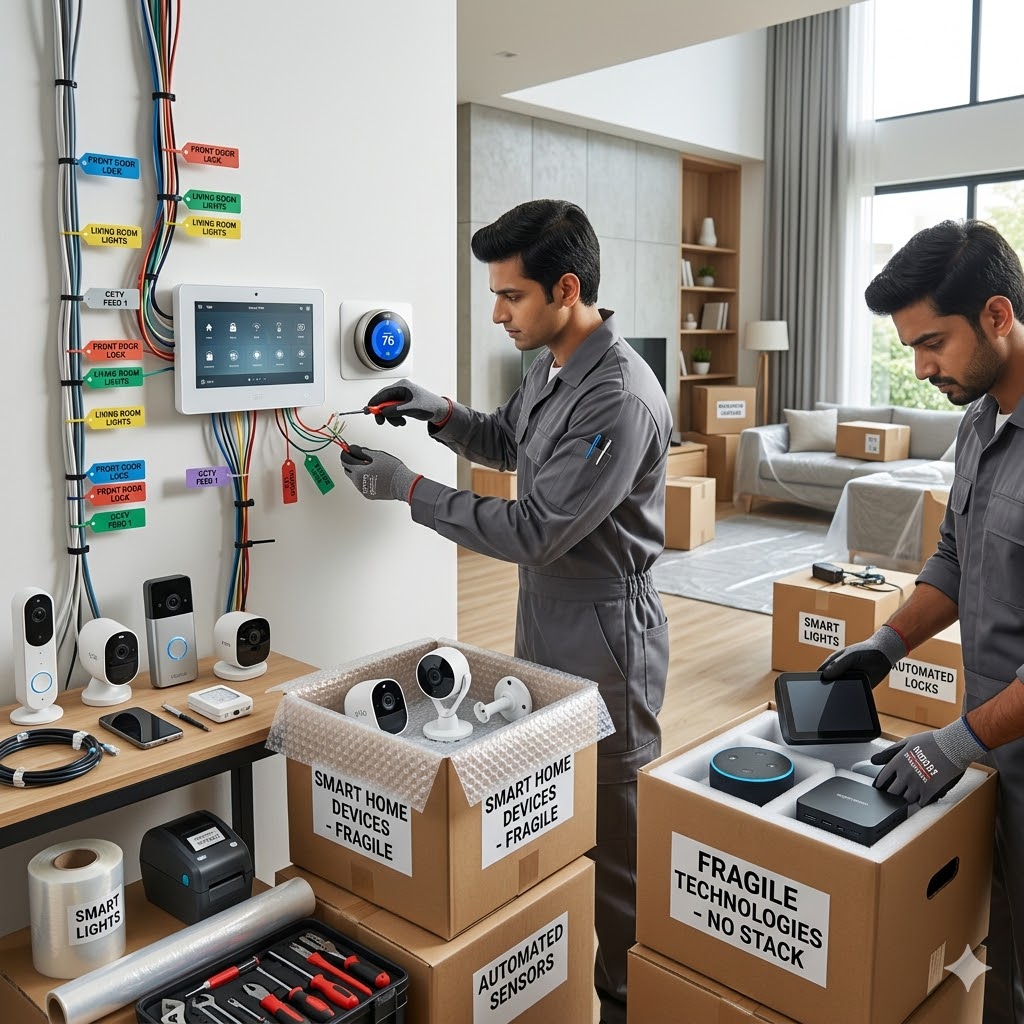
Many smart devices store customized settings. Some are connected to other devices through automation apps. During a smart home relocation, losing these settings can create setup problems later.
Good planning helps you:
- Protect expensive electronics
- Reconnect devices quickly
- Prevent damage during transport
- Avoid losing passwords and automation settings
- Reduce stress after moving
Create a Smart Home Relocation Checklist Before Packing
Before starting your smart home relocation, make a complete list of all smart devices in your house.
Devices You Should List
- Smart TVs
- Wi-Fi routers and mesh systems
- Smart speakers
- Smart locks
- Video doorbells
- Security cameras
- Smart lights and switches
- Smart thermostats
- Smart plugs
- Home hubs
- Motion sensors
- Garage automation systems
During your smart home relocation, labeling each device properly makes setup easier in the new home.
Backup Settings Before Smart Home Relocation
One of the most important parts of a successful smart home relocation is backing up settings and app data.
Many smart devices save settings through cloud accounts, but some may still need manual backups.
Important Things to Backup
- Wi-Fi passwords
- Automation routines
- Device names and room assignments
- Security camera recordings
- Smart hub settings
- Voice assistant preferences
Take screenshots of automation settings before your smart home relocation. This makes reconnecting devices much easier later.
Label Every Cable and Smart Device
Smart homes often include many wires, adapters, and hubs. Without labels, reconnecting everything after your smart home relocation becomes confusing.
Simple Labeling Tips
- Use stickers on cables
- Label adapters separately
- Keep screws in zip bags
- Write room names on device boxes
- Take photos before disconnecting devices
These small steps can save hours during your smart home relocation.
Pack Smart Devices Carefully During Smart Home Relocation
Electronics are sensitive to pressure, heat, dust, and moisture. Safe packing is very important during a smart home relocation.
Best Packing Materials for Smart Devices
- Bubble wrap
- Anti-static packing material
- Original manufacturer boxes
- Foam padding
- Strong moving cartons
If original boxes are available, use them during your smart home relocation. They provide better protection for delicate devices.
Professional movers like Long Distance Moving Company in Fairfield CT can also help protect electronics during long-distance transportation.
Disconnect Smart Home Devices the Right Way
Improper removal may damage smart devices. During a smart home relocation, disconnect devices carefully.
Safe Device Removal Tips
- Turn off power before unplugging
- Remove batteries from devices
- Factory reset devices only if necessary
- Keep mounting screws together
- Avoid pulling cables forcefully
Some devices like thermostats and smart security systems may require professional help during smart home relocation.
Protect Wi-Fi and Internet Equipment While Moving
Your internet setup controls most smart devices. A damaged router can delay your entire smart home relocation setup.
Router Moving Tips
- Pack routers separately
- Protect antennas carefully
- Store modems in padded boxes
- Keep power cables organized
- Carry backup Ethernet cables
After your smart home relocation, place the router in a central location for better signal coverage.
Smart Home Relocation for Security Systems
Security systems need extra care during a smart home relocation. Cameras, smart locks, alarms, and sensors often connect to mobile apps and cloud systems.
Security Device Moving Checklist
- Disable alerts before removal
- Save security settings
- Remove batteries safely
- Pack cameras with lens protection
- Update your address in monitoring apps
Testing all security devices after your smart home relocation is very important.
Moving Smart Home Devices Long Distance
Long-distance transportation increases the risk of damage. A careful smart home relocation process becomes even more important when moving across states.
If you are planning a move between states, services like Long distance moving from Connecticut to south Carolina may help with secure transportation and organized relocation support.
Reinstall Devices After Smart Home Relocation
Once you reach your new home, reinstall devices step by step instead of connecting everything together.
Best Setup Order After Smart Home Relocation
- Set up internet connection
- Install Wi-Fi router
- Reconnect smart hubs
- Connect security systems
- Reconnect lights and plugs
- Test voice assistants
- Check automation routines
Following this order makes your smart home relocation setup faster and more organized.
Common Smart Home Relocation Mistakes to Avoid
1. Forgetting Passwords
Always save login details before your smart home relocation.
2. Mixing Cables
Unlabeled cables create confusion during setup.
3. Packing Devices Without Padding
Smart electronics can break easily during transportation.
4. Ignoring Internet Setup
Without internet, many smart devices will not function after your smart home relocation.
5. Rushing Device Installation
Reconnect devices slowly and test them one by one.
Should You Hire Professional Movers for Smart Home Relocation?
Large smart homes may require expert moving support. Professional movers understand how to pack electronics safely and reduce moving risks.
For homes with office setups, networking systems, or automation equipment, Commercial Moving Services in Westport CT may help with organized handling and transportation.
Many homeowners also use Packing and Unpacking Services in Norwalk CT to reduce packing stress during a complex smart home relocation.
Final Thoughts on Smart Home Relocation
A successful smart home relocation depends on planning, safe packing, careful disconnection, and organized setup. Smart devices are expensive and often connected to your daily routines, security systems, and home automation.
Taking extra time before and after your smart home relocation helps you avoid damage, setup errors, and unnecessary stress. With proper organization, your smart home can work smoothly again in your new space.