Get a Free Estimate Today!
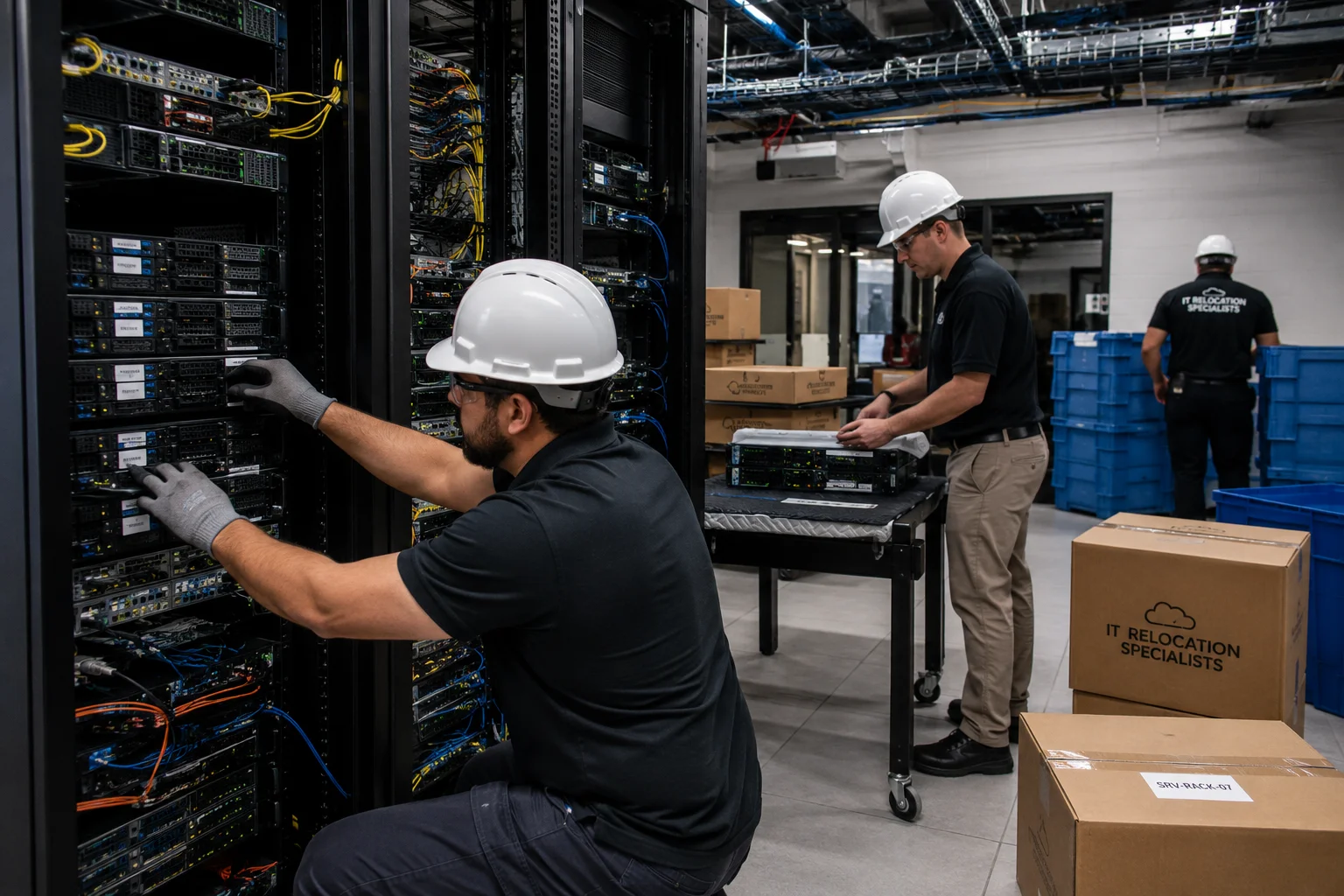
Relocating Data Centers and Server Rooms Safely
Modern businesses depend on uninterrupted access to data, applications, and network infrastructure. Whether you are expanding operations, consolidating facilities, upgrading technology, or moving to a new location, Relocating Data Centers and Server Rooms Safely requires detailed planning, technical expertise, and risk management.
Unlike a standard office move, server room and data center relocations involve mission-critical systems that support business operations around the clock. Even a minor mistake can result in downtime, data loss, equipment damage, compliance issues, and financial losses.
This guide explains everything organizations should know about Relocating Data Centers and Server Rooms Safely, including planning, preparation, transportation, risk mitigation, and post-move validation.
Why Data Center Relocation Requires Special Attention?
Data centers contain highly sensitive and valuable equipment such as:
- Servers
- Network switches
- Storage arrays
- Backup systems
- Firewalls
- Racks and cabinets
- Power distribution units
- Cooling infrastructure
These systems often support critical business functions including communication, customer service, financial operations, cloud applications, security monitoring, and data storage.
Because of this, Relocating Data Centers and Server Rooms Safely is not simply about moving equipment from one location to another. The objective is maintaining operational continuity while minimizing risk and downtime.
Common Reasons Businesses Relocate Data Centers
Organizations choose to relocate server rooms and data centers for several reasons:
- Office relocation projects
- Facility expansion
- Infrastructure modernization
- Cloud migration initiatives
- Lease expiration
- Cost reduction strategies
- Improved security requirements
- Disaster recovery planning
If your company is planning a larger commercial move, reviewing our guide on office relocation planning can help coordinate facility transitions effectively.
Key Challenges in Relocating Data Centers and Server Rooms Safely
1. Downtime Risks
Downtime is one of the biggest concerns during any relocation. Every minute that systems remain unavailable can impact productivity, customer experience, and revenue generation.
2. Equipment Damage
Servers and networking hardware contain delicate components that can be damaged by vibration, shock, moisture, or improper handling.
3. Data Integrity Concerns
Businesses must ensure that all data remains secure, backed up, and accessible throughout the relocation process.
4. Connectivity Issues
Network dependencies, internet providers, IP configurations, and communication systems require careful planning before relocation begins.
5. Regulatory Compliance
Organizations operating in healthcare, finance, legal, and government sectors often have strict compliance requirements regarding data protection and system security.
Planning for a Successful Data Center Relocation
The foundation of Relocating Data Centers and Server Rooms Safely begins with comprehensive planning.
Create a Detailed Inventory
Document every piece of equipment before relocation:
- Server models
- Rack positions
- Cabling configurations
- Power requirements
- Network dependencies
- Application ownership
A complete inventory minimizes confusion during reinstallation and testing.
Perform Infrastructure Assessments
Before moving any equipment, evaluate the destination facility to confirm:
- Power capacity
- Cooling systems
- Rack availability
- Network connectivity
- Security controls
- Environmental monitoring systems
Develop a Relocation Timeline
A structured timeline helps coordinate all stakeholders including IT teams, facility managers, internet providers, vendors, and relocation specialists.
Businesses can reduce operational disruptions by implementing strategies similar to those discussed in our guide on how to minimize downtime during an office move.
Preparing Equipment Before the Move
Complete Data Backups
Always create verified backups before relocation begins. Multiple backup copies should be stored securely in separate locations whenever possible.
Document Existing Configurations
Record:
- IP addresses
- Network diagrams
- Cable mappings
- Application dependencies
- Server configurations
Accurate documentation simplifies reassembly and troubleshooting after the move.
Label Everything Clearly
Every cable, rack unit, server, switch, and peripheral should be labeled systematically. Proper labeling dramatically reduces installation time at the new location.
Best Practices for Packing IT Equipment
One of the most important aspects of Relocating Data Centers and Server Rooms Safely is protecting equipment during transportation.
- Use anti-static packaging materials
- Secure removable components
- Protect hard drives and storage devices
- Use shock-resistant transport containers
- Prevent moisture exposure
- Maintain environmental controls during transit
Organizations handling sensitive technology assets may also benefit from reviewing best practices in moving IT equipment safely.
Transportation Considerations
Transporting data center equipment requires specialized procedures and vehicles.
Secure Loading Procedures
Equipment should be loaded according to weight distribution requirements while minimizing movement during transport.
Climate-Controlled Transportation
Temperature fluctuations and humidity can negatively affect sensitive electronics. Climate-controlled transport solutions provide additional protection.
Chain of Custody Documentation
Maintaining clear documentation helps organizations track equipment movement and ensure accountability throughout the relocation process.
How to Minimize Downtime During Relocation?
Downtime reduction is a primary objective when Relocating Data Centers and Server Rooms Safely.
Use a Phased Migration Strategy
Instead of moving everything simultaneously, businesses often relocate systems in stages.
Implement Redundancy
Temporary backup systems can maintain business operations while primary infrastructure is relocated.
Schedule Moves During Low-Traffic Hours
Weekend and after-hours relocations help reduce operational impact on employees and customers.
Test Recovery Procedures
Conduct recovery simulations before relocation to identify potential weaknesses in continuity plans.
Post-Move Validation and Testing
After equipment arrives at the new location, thorough testing is essential.
Verify Hardware Functionality
- Server startup verification
- Storage access validation
- Network connectivity testing
- Power redundancy checks
Test Applications
All critical business applications should be tested to confirm proper functionality.
Review Security Systems
Verify firewalls, monitoring systems, access controls, and cybersecurity protections before resuming normal operations.
Risk Management Strategies
Successful organizations proactively address risks associated with Relocating Data Centers and Server Rooms Safely.
- Create contingency plans
- Maintain emergency contacts
- Verify insurance coverage
- Establish communication protocols
- Conduct risk assessments
- Assign project ownership
You may also find valuable insights in our article about commercial moving challenges and solutions.
When Should You Hire Professional Data Center Relocation Specialists?
While some organizations attempt to manage relocations internally, professional relocation specialists provide several advantages:
- Technical expertise
- Specialized moving equipment
- Reduced downtime risks
- Improved project coordination
- Enhanced equipment protection
- Faster deployment timelines
For businesses managing complex technology moves, partnering with experienced commercial movers often results in safer and more efficient project execution.
Why Businesses Trust Real Moving & Storage?
At Real Moving & Storage, we understand that certain commercial relocations involve sensitive equipment, critical business assets, and strict scheduling requirements. As a trusted family-owned moving company serving Connecticut since 2006, we focus on personalized service, reliability, and professional moving solutions tailored to each client’s needs.
Founded by Lucas Pinto, who brings over 25 years of industry experience, our team provides commercial moving support, storage solutions, and relocation planning designed to help businesses transition with confidence.
Frequently Asked Questions
How long does a data center relocation take?
Project timelines vary based on infrastructure size, complexity, dependencies, and downtime requirements. Smaller server room moves may take days, while enterprise data center relocations can require months of planning and execution.
What is the biggest risk during data center relocation?
Unexpected downtime, data loss, and equipment damage are among the most significant risks. Proper planning and testing help minimize these concerns.
Should businesses back up data before relocation?
Absolutely. Verified backups are essential before beginning any relocation project.
Can server rooms be relocated without downtime?
In some cases, organizations can achieve near-zero downtime through redundancy, phased migration strategies, and temporary infrastructure solutions.
Conclusion
Relocating Data Centers and Server Rooms Safely requires more than simply transporting equipment. It involves strategic planning, risk management, infrastructure assessment, secure transportation, detailed testing, and business continuity preparation.
Organizations that invest in proper planning and experienced relocation support can significantly reduce downtime, protect critical assets, and ensure a successful transition. By following the best practices outlined above, businesses can approach Relocating Data Centers and Server Rooms Safely with greater confidence and operational security.
Contact Real Moving & Storage
Phone: (203) 300-3530
Toll-Free: (866) 296-4009
Address: 13 Francis J Clarke Cir, Bethel, CT
Also Find Us: 808 Post Road, Fairfield, CT